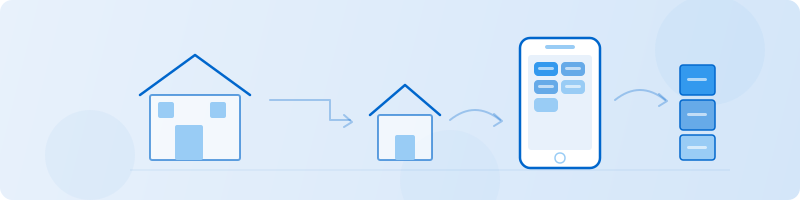
Downsizing a home means making hundreds of decisions about what fits in a smaller space, what has sentimental value worth keeping, and what should find a new home. The hardest part is not the physical move – it is deciding, item by item, what to keep. A photo inventory gives you a clear view of everything you own so you can make those decisions with your eyes open instead of guessing from memory.
Retinelle lets you photograph and organize belongings by room, add notes and custom fields for decisions, and export a filtered list when it is time to act.
Core workflow
-
Walk through each room and photograph what you see. Do not sort yet. Just capture. Furniture, decor, kitchen items, stored boxes, closets, garage – everything. The goal is a complete visual record, not a finished plan.
-
Tag each item with a decision. Use an enum field with options like Keep, Sell, Donate, Give Away, Store, and Undecided. You can change your mind later, but having a first pass makes the project feel manageable.
-
Add notes about why. A quick note like “kids’ artwork – keep” or “duplicate blender – sell” helps when you revisit decisions weeks later and cannot remember your reasoning.
-
Filter and export by decision. Pull up only “Sell” items to prep marketplace listings. Export “Donate” items to schedule a pickup. Generate a “Store” list to plan what goes into a storage unit and what size you need.
Room-by-room approach that works
Starting the whole house at once is overwhelming. Work one room at a time and finish each room completely before moving on:
- Bedrooms. Closets are the biggest time sink. Photograph clothes, shoes, and stored items. Be honest about what you actually wear.
- Kitchen. Duplicate utensils, specialty appliances used twice a year, and excess dishes are common downsizing targets.
- Living areas. Furniture is the hardest category because of size and emotional attachment. Photograph each piece and note its dimensions so you can check whether it fits in the new space.
- Garage, attic, and basement. These rooms often contain boxes that have not been opened in years. A quick photo of each box label or contents is enough to decide without unpacking everything.
How custom fields help with downsizing decisions
Retinelle’s typed fields give structure to what would otherwise be a pile of photos:
- Enum field for “Decision” (Keep, Sell, Donate, Give Away, Store, Undecided) – the core of the downsizing process.
- Currency field for “Estimated Value” – helps prioritize what to sell versus donate. Items worth more than a certain amount justify the effort of listing; items worth less go straight to donation.
- Text field for “New Location” – where the item will go in the smaller home. If you cannot assign a location, that is a signal the item may not fit.
- Boolean field for “Fits New Space” – a quick yes/no check against measurements you have already taken.
- Enum field for “Room” – so you can work through the house systematically and track progress.
Because filters carry through to exports, you can generate focused lists: everything marked “Sell” with estimated values, or everything marked “Store” to calculate storage unit size needs.
Common downsizing mistakes
- Deciding everything at once. You will burn out. Work in sessions of 60-90 minutes and stop before fatigue makes you keep everything or throw everything out.
- Keeping things “just in case.” If you have not used it in two years and it is not seasonal or sentimental, the case is probably not coming.
- Ignoring the new space dimensions. Measure the rooms in your new home first. Then use those measurements as a filter: if a piece of furniture does not physically fit, the decision is made.
- Forgetting about stored items. The boxes in the attic are part of the inventory too. They just happen to be pre-packed.
Frequently asked questions
When should I start a downsizing inventory?
As soon as you know you are moving to a smaller space. Starting three to six months before the move gives you time to work through the house without rushing. Even if the move is further out, an early inventory helps you stop accumulating new items that will just need to be sorted later.
How is this different from a general home inventory?
A general home inventory documents what you own for records, insurance, or reference. A downsizing inventory adds a decision layer: every item gets tagged with what happens to it. The structure is the same, but the purpose is action-oriented rather than documentation-oriented.
Should I inventory items I plan to sell?
Yes, even briefly. A photo and a quick note about condition is enough to create a marketplace listing later without pulling the item out again. The selling online guide covers batch listing preparation in more detail.