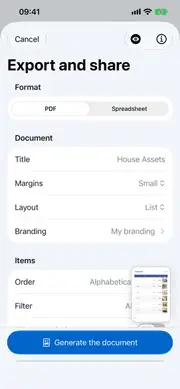
An inventory sitting inside an app is useful for personal reference. But the moment you need to share it – with an insurance adjuster, a landlord, a family member, or a buyer – you need a document. Retinelle’s PDF export turns your inventory into a clean, readable file you can send, print, or archive.
What the PDF contains
Each exported PDF includes:
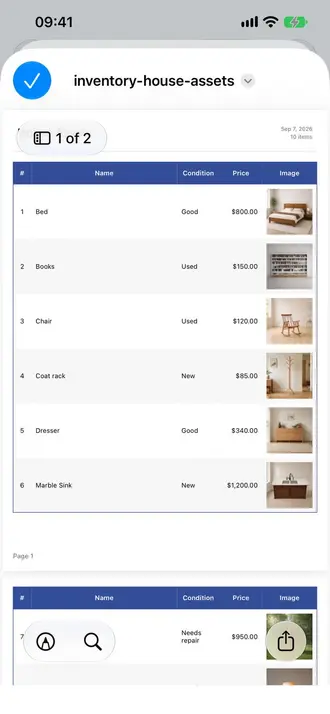
- Project title and date. The export is timestamped so you know when it was created.
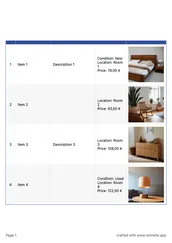
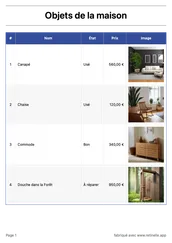
- Item list. Each item appears with its primary photo, name, description, and any custom field values you choose to include.
- Custom field data. Fields are formatted by type: currency shows the symbol, enums show the selected value, booleans show yes or no.
- Filters applied. If you filtered your list before exporting, only the filtered items appear in the PDF.
How to export
- Open the project you want to export.
- Apply any filters if you want a subset of items. Skip this step to export everything.
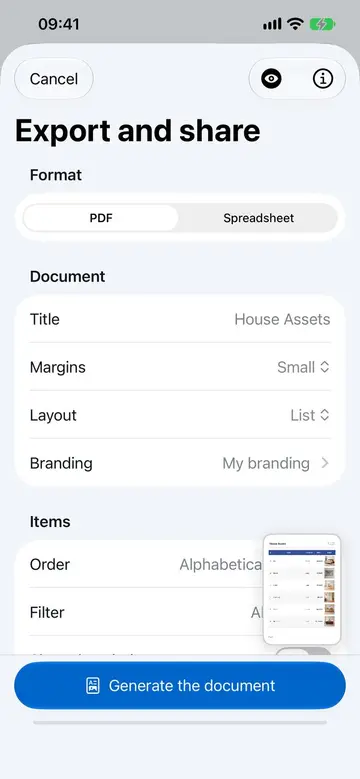
- Tap Export and choose PDF. Configure which fields to include and the layout style.
- Preview and share. The PDF is generated on your device. Share it via email, AirDrop, messaging, or save to Files.
Customizing the export
Before generating the PDF, you can choose:
- Which custom fields to include (omit fields that are not relevant to the recipient).
- Whether to include all photos or just the primary image.
- A list or grid layout for the items.
- The image size and image quality, to balance visual detail against file size.
- The sort order of items in the document.
- Your own branding with Retinelle Plus: add your logo, colors, and custom footer so the document carries your identity.
This means you can create different exports from the same project depending on the audience. An insurance adjuster gets prices and serial numbers. A buyer gets photos and descriptions. A family member gets a simple list.
Common use cases
- Insurance records. Export an inventory with replacement values and serial numbers to support your records. Insurers set their own evidence and claim requirements, so confirm what your provider needs.
- Moving. Export a room-by-room list to track what goes where.
- Estate planning. Create a document that lists valuable items with notes for family members.
- Sales. Generate a catalog of items you are selling with photos and descriptions.
- Archival. Keep a dated snapshot of your inventory at a point in time.
PDFs are generated locally
The PDF is created entirely on your device. No data is uploaded to a server for processing. The file is yours to share however you choose.
Download a real example
This five-page sample comes from a personal inventory of 3D-printed objects. It shows how photos, custom fields, prices, and a list layout can come together in one export.
Download the example inventory PDF
Related features
- Export to Spreadsheet for a data-oriented export format
- Add Custom Fields to Your Inventory to include structured data in exports
- Search and Filter Your Inventory to filter items before export
- All features
Feature in practice