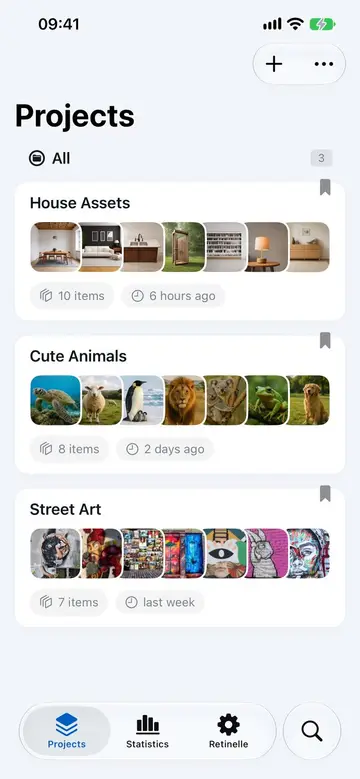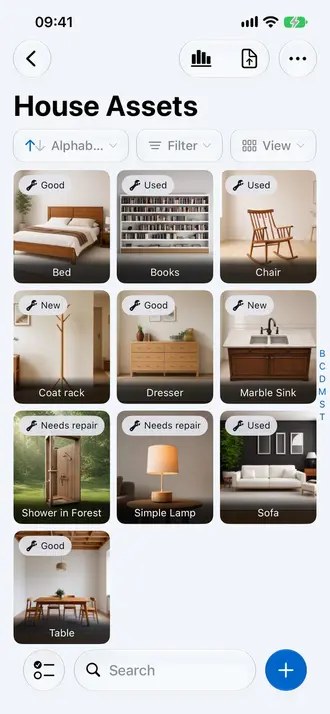

An inventory is only useful if you can find what you put in it. As your project grows from ten items to a few hundred, browsing becomes slow. Retinelle gives you search and filter tools so you can locate any item in seconds, whether you remember its name or not.
Search across every inventory
The Search tab looks across all project names and items, including item names, descriptions, and custom field values. It also finds Retinelle shortcuts, so you can jump directly to relevant app settings and actions from the same place.
- Search for “sofa” to find all sofas in the room.
- Search for “Samsung” to find all Samsung electronics.
- Search for a serial number to locate a specific item.
Search within a project
Each project also has its own search bar. Use it when you already know which inventory contains the item and want results limited to that project. Project search works with that project’s filters and sort order.
Filter by custom field
If you have defined custom fields on a project, you can filter by any field value. This is the most powerful way to narrow down a long list:
- Enum fields. Show only items where condition is “good” or room is “kitchen”.
- Boolean fields. Show only items where warranty is active or fragile is true.
- Number fields. Show items with quantity greater than 5.
- Currency fields. Show items worth more than $200.
Filters combine. You can filter by room and condition at the same time to see, for example, all items in the living room that are in good condition.
Sort options
Sort your item list by:
- Name (alphabetical)
- Date added (newest or oldest first)
- Any custom field value (sort by price, condition, room name, etc.)
Sorting works alongside filters. Apply a filter to narrow the list, then sort to arrange the results in the order you need.
Filtering before export
The same filters you use to browse apply to exports. If you filter to show only items in the bedroom with a value over $100, then export to PDF or a spreadsheet, the export contains exactly those items. This makes it easy to create targeted exports without creating a separate project.
Tips for effective searching
- Use short keywords. “kit” matches “kitchen” and “kitten”. Shorter terms cast a wider net.
- Combine search with filters. Search for a brand name, then filter by room to narrow further.
- Use enum fields for categories. Free-text search works, but structured enum fields give cleaner filter results.
Related features
- Add Custom Fields to Your Inventory to create filterable fields
- Edit Multiple Items at Once to update filtered items in bulk
- Export Your Inventory to PDF to export filtered results
- All features
Feature in practice