
Seed packets accumulate quickly, whether you save your own, buy from catalogs, or trade with other growers. A photo-backed seed inventory helps you identify each variety, check quantities, and find planting notes without emptying every storage box.
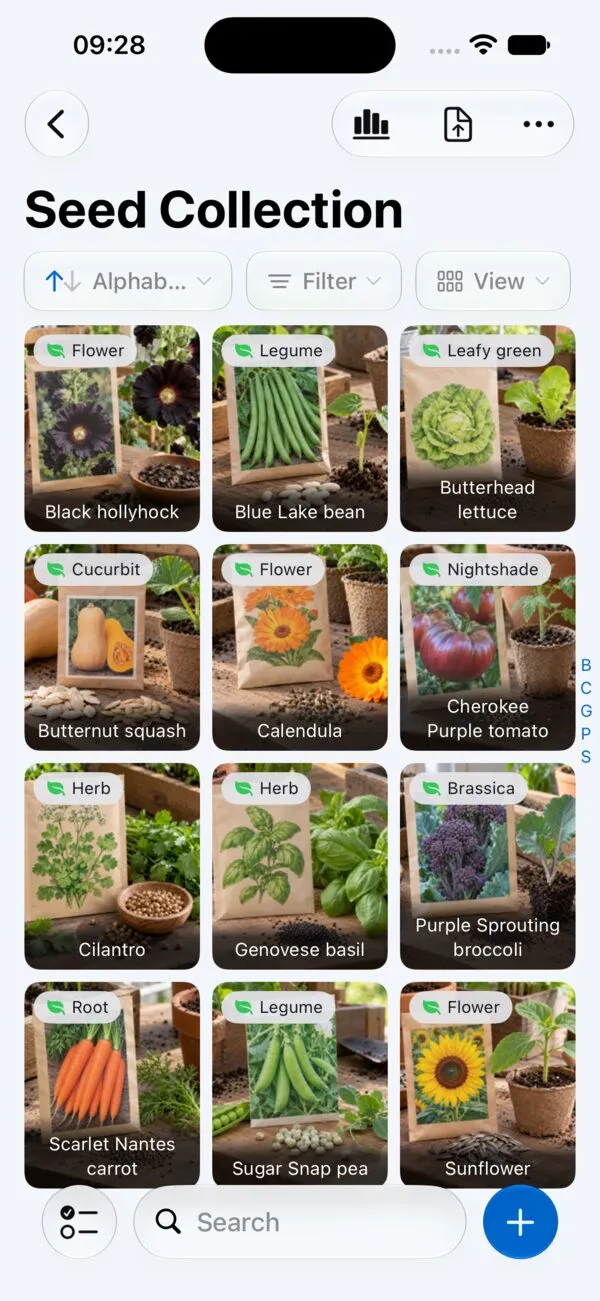
With Retinelle, you photograph each packet or container, record the details needed for planting or sharing, and organize varieties by season or storage location.
How to organize a seed collection for planting
-
Create a project per season or storage area. A “Spring 2026” project can hold current planting stock, while “Long-Term Storage” covers seed saved for later years.
-
Add one item per variety. Keep separate tomatoes or other cultivars as separate entries so their quantities, sources, and observations do not get mixed.
-
Photograph both sides of the packet. Capture the variety name plus any sowing instructions, spacing, or maturity information. For saved seed, photograph the labeled envelope and add the parent plant when useful.
-
Record quantity, source, and growing notes. Include the acquisition or harvest date and any germination observations from previous seasons.
Seed variety profiles that stay useful
Not every seed needs the same level of detail, but a consistent baseline makes your inventory far more useful over time:
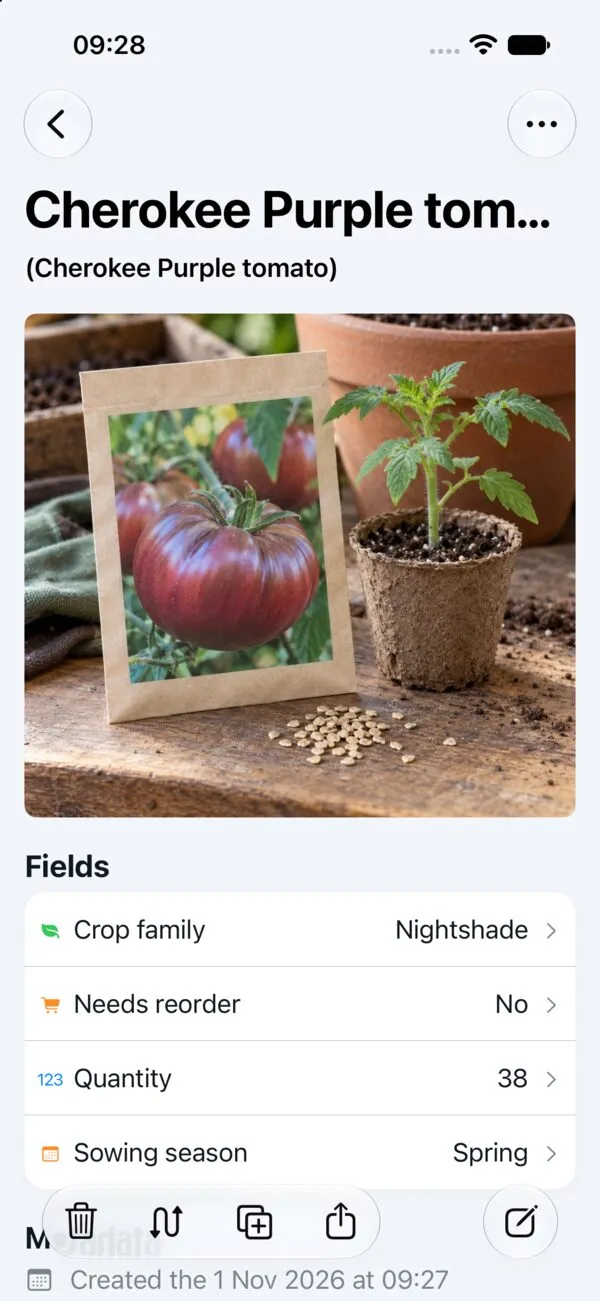
- Variety name and type (e.g., “Cherokee Purple - Tomato”). Be specific enough that you could find it in a catalog or trade list.
- Source and date acquired. Whether you bought from a seed company, received them in a swap, or saved them yourself, recording the origin helps you trace back to reliable sources and estimate viability.
- Approximate quantity. Even a rough count or weight helps you decide whether you have enough to plant a full row or just a trial patch.
- Germination rate and notes from past seasons. If you tested germination or noticed poor performance, record it. Seeds lose viability over time, and this history tells you when it is time to replace a batch.
- Storage conditions. A quick note about whether seeds are in the refrigerator, a cool closet, or a garage shelf helps you assess likely viability without pulling them out.
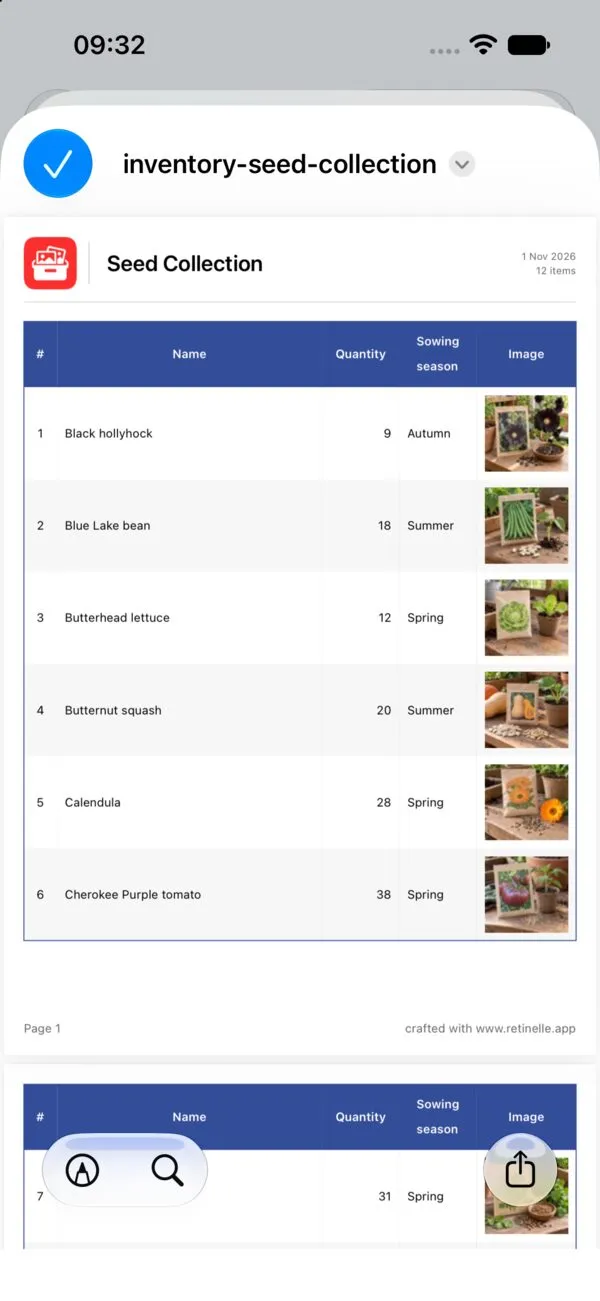
Retinelle’s custom fields make seed tracking especially efficient. Set up a number field for “Quantity,” an enum for “Crop Family” (Nightshade, Brassica, Legume, Cucurbit, etc.), and a boolean for “Needs Reorder.” You can then filter your inventory by crop family when planning a rotation, sort by quantity to spot varieties running low, and export a focused planting list or shopping list as a PDF or spreadsheet — all based on the structured data rather than searching through freeform notes.
How an inventory shapes your planting plan
Before planting, filter the inventory to varieties you intend to grow, flag low quantities, and build a shopping list without sorting every packet again. For a seed swap, export only the varieties marked as available to trade.
A season-by-season history can also reveal patterns in the observations you recorded, such as repeated low germination or better results from a particular source. Treat those notes as gardening records rather than controlled comparisons; storage and growing conditions also affect results.
Mistakes that make seed inventories go stale
- Storing seeds without labeling them. It takes ten seconds to write on an envelope, but it saves real frustration later. If you photograph unlabeled seeds, add identifying notes in Retinelle immediately rather than trusting your memory.
- Ignoring viability dates. Most vegetable seeds stay viable for two to five years depending on the species, but only if stored properly. Track acquisition dates so you can prioritize older seeds and replace stock that has likely declined.
- Keeping one massive list with no organization. A single project with 200 entries becomes unwieldy fast. Break your collection into logical groups: by season, by crop family, or by storage location. Smaller projects are easier to browse and update.
- Never updating after planting. Once you sow seeds, update quantities or remove the entry. An inventory that reflects what you had six months ago is not useful for planning the next season.
Seed collection inventory questions
How do I organize a seed collection effectively?
Group seeds by the context you use most: planting season, crop family, or storage location. Apply the same system consistently and keep each variety as its own item so a search for lettuce, tomatoes, or another crop returns a clear answer.
How do I track seed inventory without losing details over time?
Record a packet when you acquire or harvest it, then update the quantity after sowing or sharing. Photograph the label, note the source and date, and add germination observations when you have actual results. This keeps the inventory useful without requiring every field to be completed at once.