The garage, attic, and basement are where things go to be forgotten. Seasonal decorations, childhood keepsakes, tools you inherited, boxes you moved three times without opening – they all accumulate in the same spaces, and eventually nobody remembers what is in there. A photo inventory of these areas saves you from buying duplicates, digging through every box, or throwing away something you actually wanted to keep.
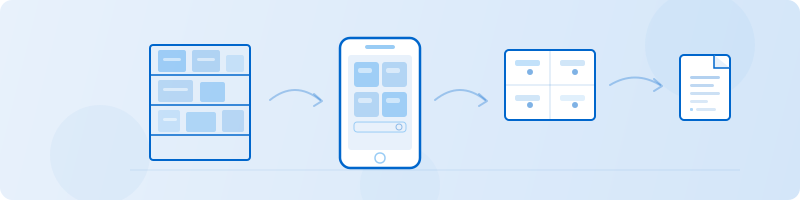
Retinelle lets you photograph storage areas on your iPhone, tag items with notes and custom fields, and search or export the whole inventory later without going back to the attic.
Core workflow
-
Start with a wide shot of each area. Capture the room or storage zone before pulling boxes out so later photos have context.
-
Photograph labels and contents. For an unlabeled box, open it when practical and add one representative photo rather than documenting every object.
-
Add location and category tags. Enum fields for area and category make boxes searchable without relying on their descriptions.
-
Flag anything needing attention. Note items that belong elsewhere, need safer storage, or should be sorted later.
-
Export a reference list. Keep a PDF or spreadsheet where it will be available when you need to locate something.
What to catalog in storage areas
- Boxes: prioritize unlabeled or mixed-content containers that would otherwise need reopening.
- Seasonal items: record the bin and exact location of decorations or equipment used only part of the year.
- Tools and equipment: capture model labels and note which room, cabinet, or shelf holds them.
- Stored furniture, clothes, and keepsakes: include dimensions, sizes, ownership, or intended destination when those details affect a later decision.
- Sensitive records: record a safe location without exposing document contents, account numbers, or other private details in an export.
How custom fields solve the “where is that?” problem
The whole point of a storage inventory is finding things fast. Retinelle’s fields make that possible:
- Enum field for “Location” (Garage, Attic, Basement, Shed, Off-Site Storage) – the first filter when you are looking for something.
- Enum field for “Category” (Seasonal, Tools, Keepsakes, Documents, Furniture, Electronics, Kids) – groups related items across different storage areas.
- Text field for “Box Number or Label” – if you use a numbering system for boxes, this field makes it instant to locate a specific one.
- Boolean field for “Climate Sensitive” – items that need temperature or humidity control. Attics and basements are not always climate-safe.
- Enum field for “Action Needed” (Keep As-Is, Move to Better Storage, Give Away, Open and Sort, Dispose) – for items that need attention but not right now.
- Text field for “Contents Summary” – a one-line description of what is inside a box, so you do not need to open the photo every time.
When you search or filter, you can pull up everything in the attic that is climate-sensitive, or every box labeled “Kitchen” across all storage areas, or every item marked for disposal.
Why storage inventories save money
A storage inventory can prevent duplicate purchases by showing that an item already exists and where it is kept. It can also support a storage-unit decision by showing what could be moved, donated, or discarded, although the app does not calculate the physical space required.
Frequently asked questions
How is this different from a moving inventory?
A moving inventory tracks items through a specific event: packing, transporting, and unpacking. A storage inventory is ongoing – it documents items that stay in place for months or years. The two overlap, but a storage inventory focuses on long-term organization rather than tracking items through a transition.
Should I inventory items that are already in sealed boxes?
If the boxes are labeled, photograph the label. If they are not labeled and you are not ready to open them, photograph the box and mark it as “Unsorted” in your inventory. You can update it later when you eventually open it. Partial documentation is better than no documentation.
How often should I update the storage inventory?
Once a year is a reasonable cadence for most people. Spring cleaning, pre-holiday organizing, or a garage sale are natural triggers to review and update. Add new items as you store them, and remove items you discard or donate.