Retinelle is best for
Capturing items quickly with photos, organizing them into projects, filtering structured fields, and exporting a clean PDF or spreadsheet without a cloud account.
Last updated
ByVincent GermainFounder of Retinelle
A spreadsheet is a flexible way to list inventory data, but Retinelle is usually better for a photo-first inventory that you capture on an iPhone or iPad. Retinelle keeps photos, typed custom fields, filters, and exports together in an offline project, while a spreadsheet remains the better choice when calculations, formulas, or broad collaboration matter most.
Retinelle is best forCapturing items quickly with photos, organizing them into projects, filtering structured fields, and exporting a clean PDF or spreadsheet without a cloud account.
 Spreadsheet is best for
Detailed formulas, custom calculations, large-scale data manipulation, and sharing a familiar file with people who already use Excel, Numbers, or Google Sheets.
| Criteria |  Retinelle Retinelle |  Spreadsheet Spreadsheet |
|---|---|---|
| Capturing photos | Take photos directly while documenting an item, then add notes and fields in the same entry. | Add photos manually or link them to rows, which can be slower during a room-by-room capture session. |
| Organizing projects | Keep each inventory in a separate project, such as a move, insurance record, or collection. | Use separate files, sheets, tabs, or naming conventions and maintain that structure yourself. |
| Custom fields | Define typed text, number, currency, enum, boolean, date, and code fields for each project, including barcodes and QR codes. | Add columns freely, but field meaning and data consistency depend on the spreadsheet setup. |
| Filtering and sorting | Filter and sort the item list using project fields, including values such as room, condition, or replacement cost. | Use spreadsheet filters, formulas, and views, with more flexibility but more setup and maintenance. |
| Offline privacy | Store inventory data on the device and use the app without an account or required cloud workspace. | Offline access depends on the spreadsheet application and file-storage setup. |
| PDF sharing | Export a readable PDF from the inventory when a person needs a report rather than editable data. | Print or format a sheet manually before sharing a polished PDF. |
| Spreadsheet export | Export filtered inventory data and custom fields to XLSX when spreadsheet analysis is useful. | Already works as the primary editable format. |
| Formulas and calculations | Use typed number and currency fields for structured inventory data and built-in summaries. | Use formulas, pivot tables, macros, and other spreadsheet tools for advanced analysis. |
Ready to try it? Download Retinelle
The criteria here follow a photo-first inventory task: capture, project organization, typed fields, offline use, exports, formulas, and collaboration. This is a workflow comparison, not a speed benchmark; spreadsheet behavior varies by application, file location, and setup.
A spreadsheet starts with rows and columns. That makes it open-ended and powerful, but it also means you need to design the inventory before you start: decide which columns to use, where photos belong, how rooms are named, and how the file will be shared. Retinelle starts with the item and its photo. You create a project, capture the item, add the details that matter, and decide later whether the filtered list should become a PDF or an XLSX file.
The practical difference is the capture workflow. A spreadsheet is a strong analysis tool; Retinelle is a photo inventory tool that can also produce structured spreadsheet data. For a home inventory, move, insurance record, or collection, that distinction usually matters more than whether both tools can technically store a name and a value.
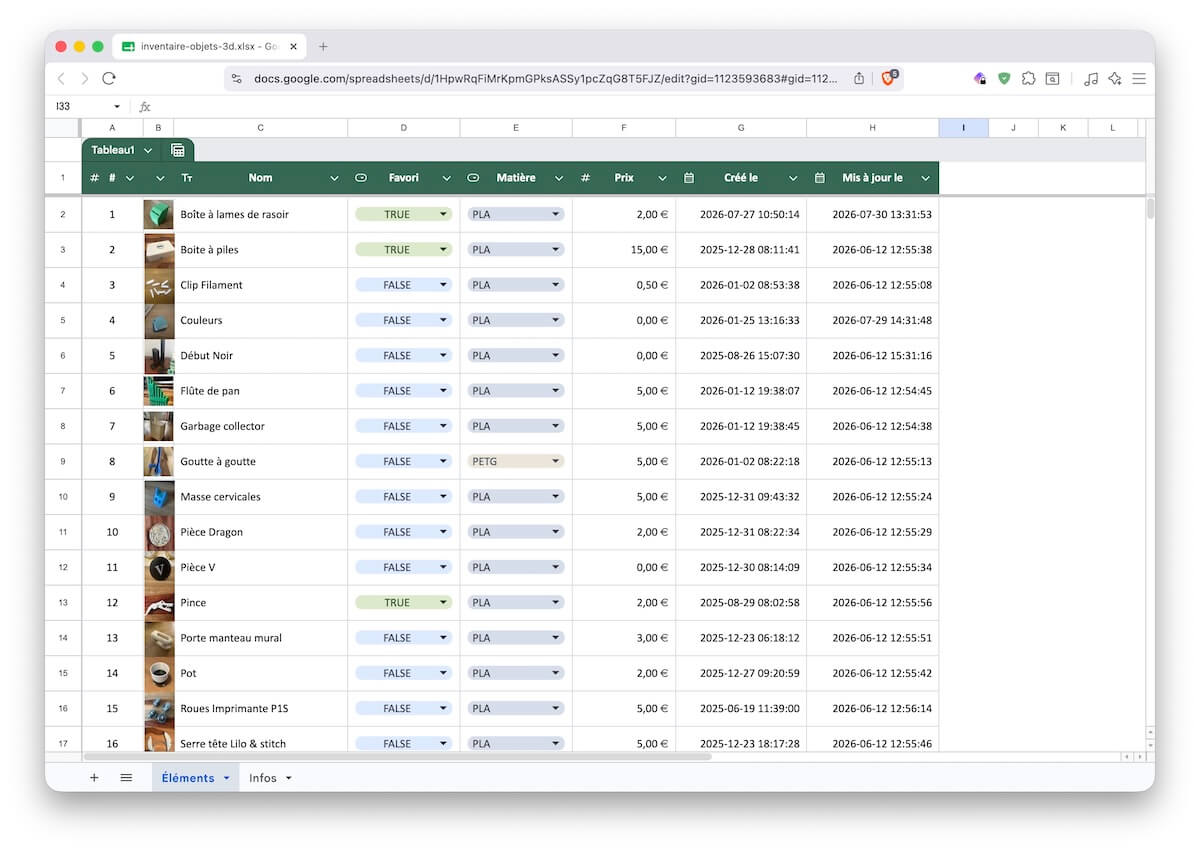
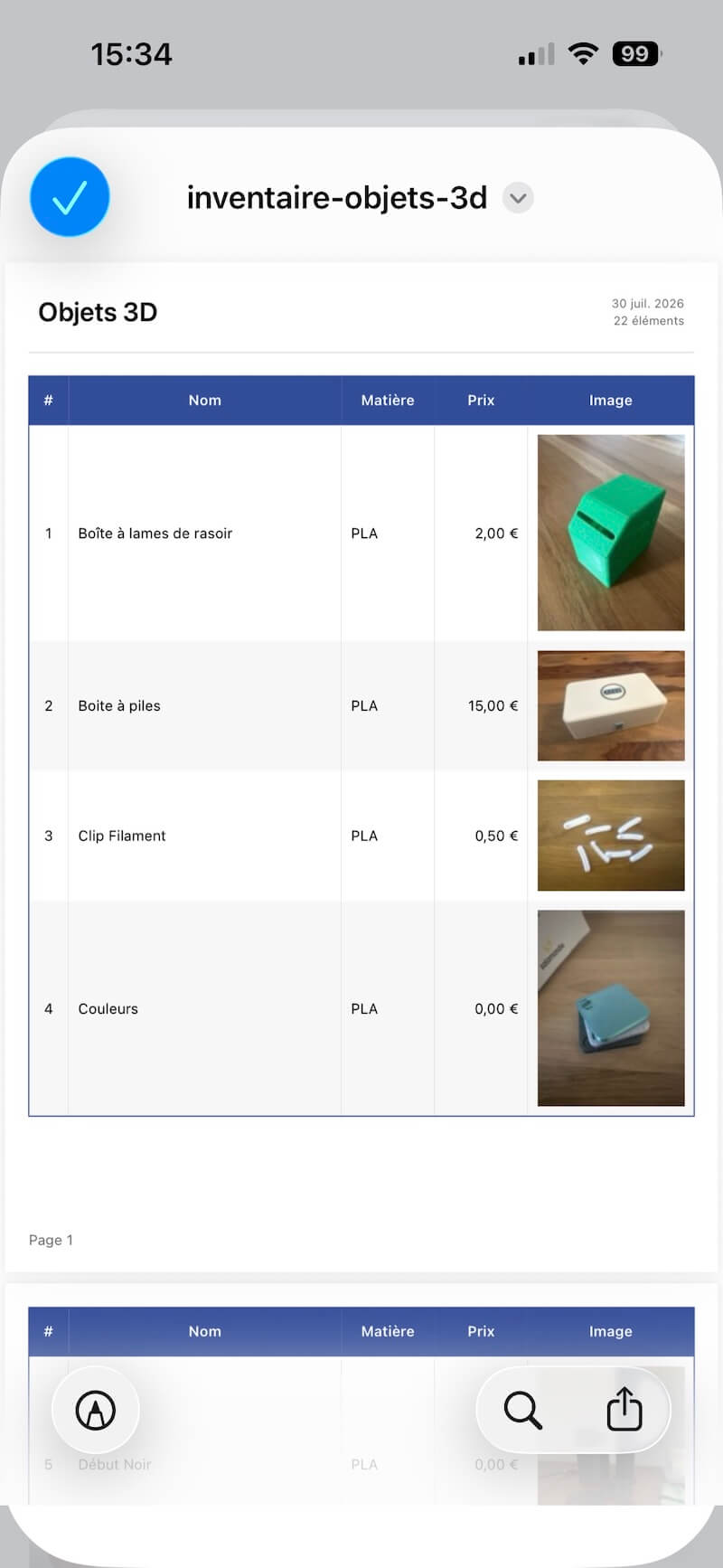
The screenshots below use a personal inventory of 3D-printed objects as a concrete example of the same workflow.
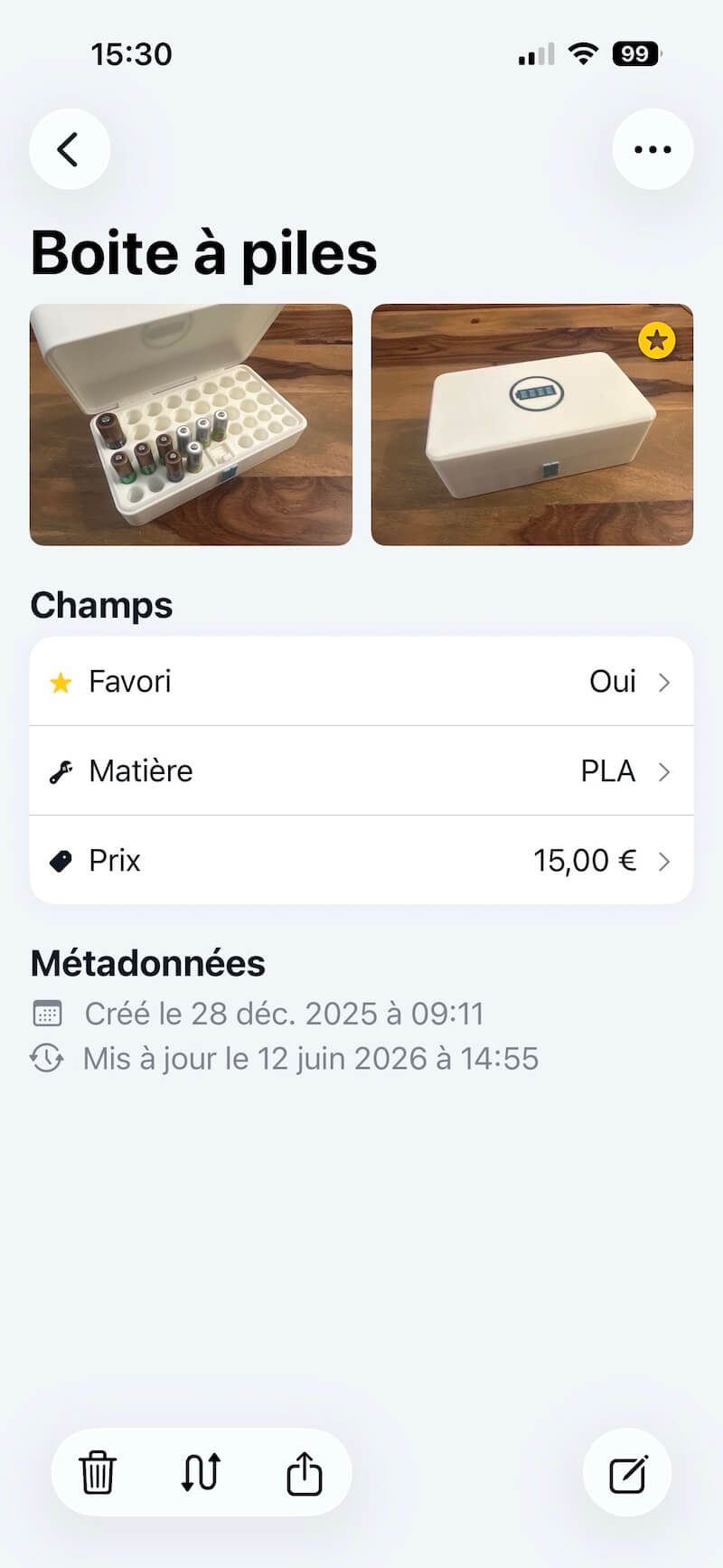
Retinelle can reduce the steps involved when an inventory begins with a walk around a room, garage, storage unit, or job site. Take a photo from the item screen, add a short description, and continue. You do not need to switch between the camera, a file picker, and a spreadsheet row for every object. The app keeps the visual record and the item details together, so a later search can find the entry from the photo context or the text you added. Actual completion time depends on the number of items, fields, photos, and the spreadsheet workflow used for comparison.
A spreadsheet can work well for a small list that is already documented. It becomes less convenient when you are capturing dozens of items with a phone in one hand. Images may need resizing, renaming, attaching, or linking, and the visual connection between a row and its item can become fragile. If the inventory is mostly numbers and text, that tradeoff may be acceptable. If photos are the evidence, Retinelle fits the first step better.
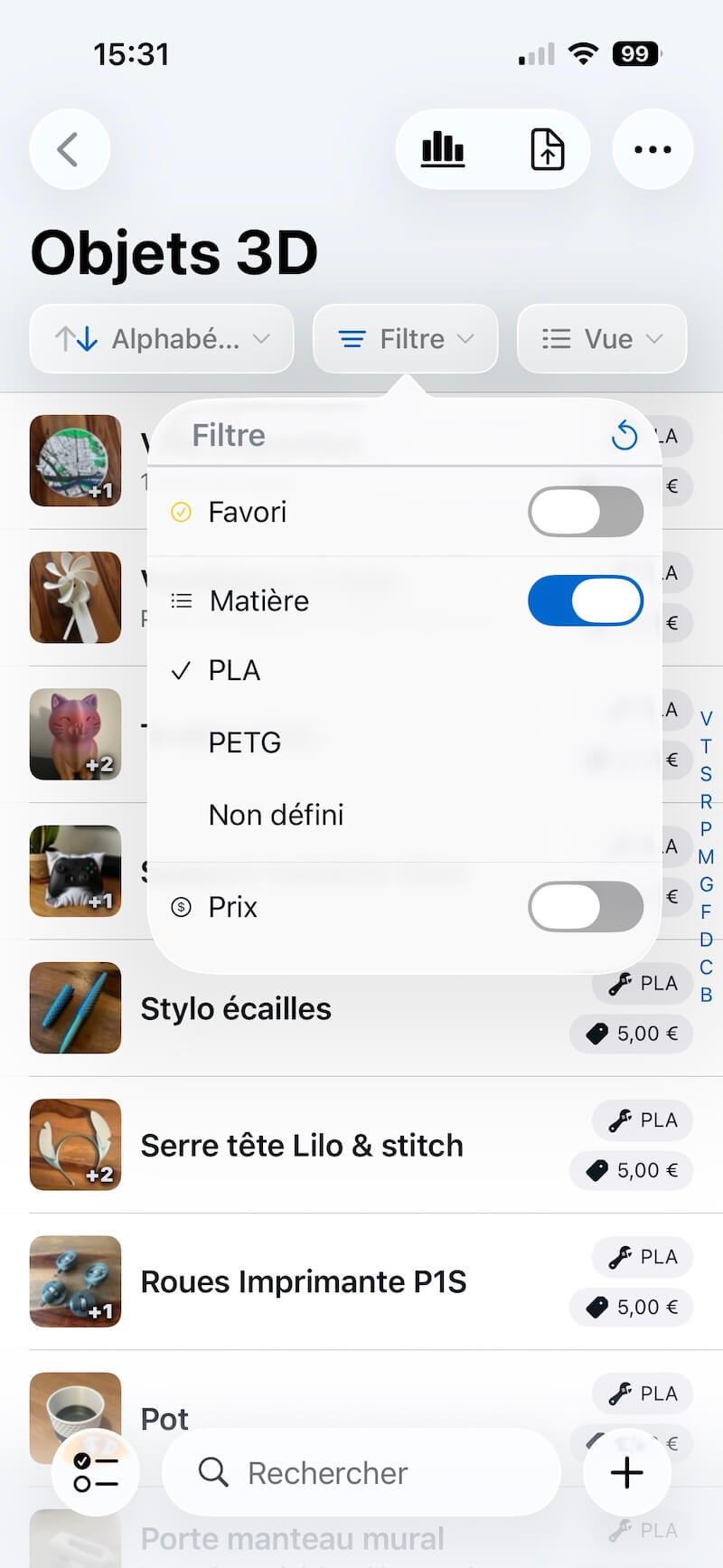
Retinelle’s custom fields are designed for project-specific inventory details. For a moving inventory, create an enum field for “Destination Room,” a number field for “Box Number,” and a boolean field for “Fragile.” For insurance, use currency for “Replacement Value,” a date for “Purchased On,” and text for “Serial Number.” A code field can also scan or store a barcode or QR code. The field types make the intended data clear instead of relying on a column heading and a set of personal conventions.
Those fields are useful beyond data entry. You can filter the item list to show only fragile boxes or high-value items, sort by destination room or replacement value, and carry the same filtered view into a PDF or spreadsheet export. A spreadsheet offers more freedom to add columns and formulas, but that freedom also puts consistency, validation, and maintenance on the person building the file.
Retinelle is built for an offline-first workflow: inventory data stays on the device and no cloud account is required. That is useful when you are documenting belongings at home, in a basement, at a storage unit, or on a job site with unreliable connectivity. You can capture first and export or share later.
A spreadsheet may also be available offline, depending on the app and the file location. The important question is not whether a spreadsheet can open without a connection; it is where the file is stored, which accounts can access it, and how copies are synchronized. Retinelle gives the photo inventory a local project structure by default, while a spreadsheet requires you to make those storage and backup decisions yourself.
Choose a spreadsheet when the primary job is analysis rather than capture. Formulas, pivot tables, macros, complex charts, bulk transformations, and collaborative editing are all areas where Excel, Numbers, or Google Sheets may be the more capable environment. A spreadsheet is also a good fit when the data already exists in rows and columns and adding photos would not improve the decision you need to make.
Retinelle does not need to replace that workflow. Export the inventory to XLSX when you need calculations or collaboration, and use the app as a photo-first capture and organization layer. This is especially useful when one person photographs and documents items while another person later analyzes totals, values, or categories in a spreadsheet.
Start with the items that benefit most from photos: valuables, electronics, furniture, fragile boxes, tools, or anything that may be difficult to identify later. Create a Retinelle project for the purpose, then define the fields that match the spreadsheet columns you actually use. Convert repeated categories into enum values, amounts into currency or number fields, and yes/no columns into boolean fields.
Do not try to reproduce every spreadsheet column before capturing anything. Bring over the fields that help you find, filter, or prove an item, then add photos as you review the list. Keep the original spreadsheet as a reference until the new project is complete. When the Retinelle project is up to date, export it back to XLSX for analysis or use the PDF export when the recipient needs a readable report.
Choose Retinelle if you need to create a photo inventory quickly, keep records organized by project, work offline, use typed fields for filtering, or export a clear report later. It is particularly useful for insurance preparation, moving, storage, decluttering, and any collection where seeing the item is part of identifying it.
Choose a spreadsheet if you already have clean tabular data, need advanced formulas or automation, or expect several people to edit the same file directly. You do not have to choose one permanently: Retinelle can handle the photo-first capture and structured organization, then export the data to a spreadsheet when analysis or collaboration calls for it.
Retinelle is a focused photo inventory app, not a general-purpose spreadsheet replacement. It is better for capturing and organizing item records, while Excel, Numbers, and Google Sheets remain better for advanced formulas, charts, macros, and collaborative editing. Retinelle can export the inventory to XLSX when those tools are needed.
Yes. Retinelle exports project items, photos, and custom fields to XLSX. You can filter the inventory first so the export contains the subset you need, such as high-value items, one destination room, or one collection category.
Retinelle may be a better fit for capturing an insurance inventory when you want photos, notes, serial numbers, and replacement values in one project. A spreadsheet can be more useful for calculations or collaboration. Neither format guarantees that an insurer will accept particular records, so check your provider’s requirements.